In April 2026, OpenAI quietly published a deployment guide for ChatGPT Edu titled Deploying Codex in Higher Education. Within weeks, universities across the U.S. and Canada were rolling out Codex to entire computer science cohorts — a fully agentic coding tool that can read a syllabus, scaffold a repo, write production code, run tests, and submit a working solution in under sixty seconds. Every assignment a typical undergraduate has ever been asked to complete now lives one prompt away from a perfect answer.
If you teach programming, you already know what comes next. The pilot survey from a large university CS class in 2025 found that more than 25% of students admitted to AI-assisted cheating on coding homework. Anecdotal reports from algorithms professors put the true rate above 50%. The question is no longer whether students are using AI — it is whether your assignments still teach anything when they do.
This guide is for programming educators who refuse to either ban AI outright or surrender the classroom to it. We will look at what the research actually shows, what cheating patterns to watch for in Python and JavaScript submissions, how to redesign assignments so AI becomes scaffolding instead of a shortcut, and how tools like Plagly.ai help you verify learning without playing detective on every commit.
The 2026 State of AI in Programming Classrooms
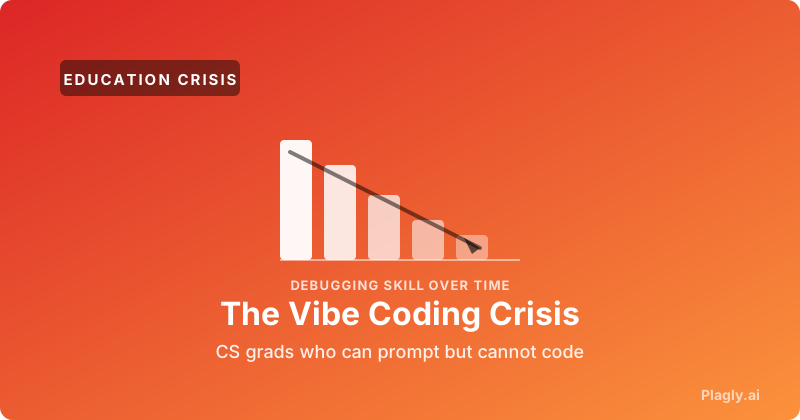
Three numbers define the current crisis. First, the prevalence: a July 2025 pilot study on arXiv (2507.06438) measured AI-assisted cheating in a large CS course and found over a quarter of students self-reporting violations — and self-reports almost always undercount. Second, the quality cost: a December 2025 analysis by CodeRabbit found that AI-coauthored code contained 1.7× more major issues than human-written code, with security vulnerability rates 2.74× higher. Third, the learning cost: programmers across multiple recent reports describe their debugging skills atrophying within weeks of switching to LLM-first workflows.
Andrej Karpathy coined the term vibe coding in February 2025 to describe the new mode of working with LLMs — you describe what you want, you accept what the model produces, you ship without reading. Karpathy meant it as a celebration. Within a year, the same term had become the field's shorthand for a generation of developers who can prompt fluently but cannot reason about what their code actually does.
For educators, the worry is not philosophical. It is concrete: students arrive at office hours unable to explain code they submitted, unable to trace why a test fails, unable to perform the cognitive work that programming was supposed to teach them. The assignment was completed. The grade was earned. The learning never happened.
How Codex and Copilot Actually Solve Your Assignments
Before you can teach around AI, you need to understand precisely what it does well and where it stumbles. The 2026 generation of agentic coding tools — OpenAI Codex, GitHub Copilot Workspace, Claude Code, Cursor — share a common pattern. They ingest a prompt, plan a multi-step approach, execute file edits across a repository, run tests, and iterate until the tests pass. This is qualitatively different from the 2023-era Copilot autocomplete most curricula were designed to resist.
What current AI does extremely well in CS coursework:
- CS1 and CS2 assignments: Loops, conditionals, recursion, basic data structures (linked lists, stacks, queues, BSTs). On standard textbook prompts, Codex and Claude Code achieve over 95% test-passing rates on first attempt.
- Algorithm implementations from spec: Given Dijkstra, A*, KMP string matching, or any classical algorithm specified by name, modern LLMs reproduce the canonical implementation almost verbatim.
- Web and mobile project scaffolds: Build a CRUD app with auth, a React dashboard, a Flask API — one prompt, a working repo, often better-structured than what most undergraduates write.
- SQL queries and schema design: Even ambiguous English specifications produce correct, idiomatic SQL.
- Code translation: Convert a Java solution to Python, refactor procedural to OOP, port C to Rust — near-perfect across language pairs.
Where AI still reliably stumbles:
- Course-specific conventions: If your CS1 uses a custom
Turtlegraphics library, an in-house testing harness, or a stylebook with idiosyncratic naming rules, AI output diverges immediately. Researchers have shown that programs generated by ChatGPT often depart from textbook style enough to be flagged automatically. - Multi-file refactors with hidden coupling: Agentic tools still struggle when the right answer requires reasoning about constraints scattered across files the model has not been shown.
- Performance reasoning under tight constraints: Ask AI to make code O(n log n) on a problem where it produced O(n^2), and you frequently get surface-level reorganization rather than a real algorithmic change.
- Concurrency and race conditions: LLMs produce code that looks correct but contains subtle thread-safety violations at rates well above their average error rate.
- Domain-specific math: Numerical stability, floating-point edge cases, custom physics or graphics math. AI confidently produces plausible-looking wrong answers here.
If your current assignments live entirely in the first list, the curriculum is functionally obsolete in 2026. The pedagogical work is to move evaluation toward the second list — or to redesign assessment so the act of solving teaches, not the act of submitting.
Six Cheating Patterns to Watch For in Programming Submissions
Just as English instructors have learned the tells of AI essays, CS educators are developing a catalog of AI-coded submission patterns. Most are visible to anyone reading the code attentively, but they hide easily across hundreds of submissions. These are the six most diagnostic patterns we have observed across thousands of student submissions in 2025-2026.
- Stylistic uniformity across a cohort: When twenty students in a section produce solutions with identical variable naming (often
result,arr,helper), identical function signatures, and identical comment phrasing (often beginning “This function...” or “Iterate through...”), the cause is rarely independent thought. - Over-commented trivial blocks: AI tends to comment every line, including obvious operations like
# increment counter. Human code at student skill level usually lacks comments entirely or has only header comments. - Idiomatic patterns above the course level: A CS1 student who has not yet been taught list comprehensions submits a one-line list comprehension. A student who has not seen
collections.defaultdictuses it correctly. A student who has not encountered generators yields lazily. The skill ceiling visible in the code exceeds what the course has covered. - Defensive edge-case handling beyond the spec: AI reflexively adds
if not arr: return []and type validation. Real students at the assignment's skill level rarely add defensive checks they were not explicitly asked to add. - Stack Overflow-style snake_case mixed with camelCase: AI training data contains both conventions; in stress, it sometimes mixes them mid-file. A student who has been writing snake_case all semester does not suddenly insert
currentNodein the middle of a method. - The office hours test: The fastest reliable signal is human-mediated. Ask the student to talk through the code — explain why this loop, why this base case, what happens if input is empty. Students who wrote their code can answer. Students who prompted it cannot.
The Pedagogical Question: AI as Tutor or AI as Solver?
The most important pedagogical insight of 2026 is that AI does not have to be the enemy of learning. It can be its single best amplifier — but only when it is positioned as a Socratic tutor rather than a problem-solver. The same model that writes a perfect solution can refuse to write the solution and instead ask you what data structure you would use, why a brute-force approach might be too slow, or what invariant you expect to hold at the top of your loop.
Code.org's AI Tutor, launched into core Code.org lessons, exemplifies this design philosophy. It is built on Socratic principles: it asks questions, encourages exploration, and prompts reflection rather than providing direct answers. Microsoft has been retooling Copilot toward the same end — recent updates added “tutor mode” prompts, in-context quizzes, and debugging questions instead of bare completions. Several university teams have built course-specific systems on the same foundation: Boot.dev, Educative.io, and a growing list of in-house tools at institutions including Stanford and Carnegie Mellon.
The difference between AI-as-solver and AI-as-tutor is the difference between a student who finished the assignment with a passing test suite and a student who finished the assignment with a deeper understanding of why the test suite passes. The first student gets the same grade. The second graduates employable.
Six Strategies for Programming Assignments in the Age of Codex
After working with educators across CS1 through senior capstone, we have seen six assignment-redesign strategies that consistently restore actual learning without descending into purely manual ban-and-detect modes.
- 1. Move evaluation to in-person verification. The most effective single intervention is to require a five-minute oral defense for every non-trivial assignment. Students explain the code aloud, modify it on the spot in response to a small variant of the problem, and answer one or two follow-up questions. This catches everything: the AI shortcut, the partial understanding, the collaboration-too-close-to-copying.
- 2. Assign code reading, not just code writing. Give students AI-generated code with subtle bugs and ask them to find and fix them. Ask them to critique the code's design. Ask them to extend it. Reading and critiquing AI output is a skill the workforce demands and AI cannot do for them — you cannot prompt an AI to evaluate its own code well.
- 3. Reward process over output. Require commit history that shows actual work in progress: failed tests, intermediate refactors, debugging sessions. A perfect first commit with no history is a tell.
- 4. Restructure tests to be AI-resistant. Hidden test cases that probe edge cases AI typically misses (boundary conditions, off-by-one cases, performance ceilings) reward careful thinking even when AI provided the initial solution.
- 5. Use AI explicitly in the assignment. The most forward-thinking educators are designing tasks where students must prompt AI, evaluate its output, identify errors, and submit both the AI-generated draft and their corrected version — with an analysis of what was wrong. This turns the cheating tool into the curriculum.
- 6. Verify authenticity at submission. Tools like Plagly.ai analyze code submissions for AI-generation patterns, sentence-level stylistic anomalies, and authorship-consistency signals. Combined with the human-mediated checks above, this gives you a defensible verification layer without turning grading into forensic analysis.
What Verification Looks Like in Practice
Most educators we work with do not want to interrogate every submission. They want a sanity check that surfaces high-confidence cases worth a conversation. The workflow that works in practice is straightforward:
- Submission scan: Every submission runs through an AI-detection pass that returns a confidence score and sentence-level (or line-level) flags. Plagly.ai performs this analysis with 99% accuracy across model families including GPT-5.5, Claude 4.6, and Gemini 3.1.
- Cohort-level pattern check: When eight submissions in a section share the same idiomatic phrasing, the same comment style, the same defensive boilerplate, you flag the cluster for review.
- Targeted office hours conversation: Flagged students are asked to walk through the code in person. The conversation is short and almost always conclusive.
- Reviewable Council reports: Plagly.ai's Agentic Council runs the submission through seven domain expert models (writing quality, fact-checker, citation, structure, AI detection, subject matter, impact) and produces a referenced report you can attach to academic-integrity proceedings if needed.
What this workflow does not do is replace teaching. The point of the verification layer is to free your attention for the assignments and students that actually need it — the curious ones, the struggling ones, the ones who are using AI thoughtfully but still need a human in the loop.
What This Means for Curriculum Design Over the Next Year
If you take one thing away from this guide, take this: the assignments that look most familiar from your 2022 syllabus are the ones with the worst signal in 2026. The standard CS1 sequence — loops, conditionals, recursion, data structures, sorting algorithms — is precisely the territory where AI is most fluent. Students using Codex on these problems learn nothing. Students forbidden from using Codex on these problems often resent the restriction and use it anyway.
The curriculum that holds up is the one that treats AI fluency as a course objective. Students should learn to prompt well, evaluate AI output critically, debug AI-generated code, and recognize when an AI is confidently wrong. They should also be required to demonstrate, in person or under supervision, that they can reason about code without the AI's help — not because the workplace will demand it (it usually will not) but because the cognitive skill of programming is what employers are still paying for, and what graduates need to grow into senior roles five years out.
The educators making this transition successfully are not the ones with the strictest no-AI policies. They are the ones who have rebuilt their assessment around two questions: Can the student explain this code in their own words? and Can the student modify this code when the problem changes? Everything else — the syntax, the boilerplate, the rote pattern — AI handles, and increasingly the workplace handles AI for the student. The teaching part has not disappeared. It has just moved up one level of abstraction.
Teach Programming the Way 2026 Actually Looks
Plagly.ai is built for programming educators who want AI in the classroom as a learning tool, not a shortcut. Verify code submissions for AI generation with 99% accuracy across GPT-5.5, Claude 4.6, Gemini 3.1, and other models. Use the Agentic Council to surface sentence-level evidence of AI authorship in Python, JavaScript, and other widely-taught languages. Run cohort-level scans to spot the patterns invisible at the individual-submission level. And use the Humanize feature in reverse — show students what AI-typical code looks like so they can recognize it in their own work.
Try Plagly.ai Free for EducatorsFrequently Asked Questions
Can AI detectors actually detect AI-generated code?
Yes, with caveats. The same statistical signals that detect AI prose — perplexity, burstiness, stylometric fingerprints — apply to code, with some differences. Code has more constrained syntax than natural language, which makes word-level analysis less informative, but it has stronger structural signals: variable naming patterns, comment density, idiomatic choices, and library usage. Multi-model ensemble detectors like Plagly.ai typically achieve 90-95% accuracy on isolated code submissions and well above 95% when cohort-level pattern analysis is included.
What about students who use AI legitimately as a tutor?
The verification layer is not designed to penalize this. A student who used AI to understand a concept, then wrote their own solution, will produce code that does not match AI generation patterns at the line level. The detection signal is “this code was written by AI,” not “this student talked to AI.” If your course policy permits AI-as-tutor, the workflow continues to work — you are catching the submitted artifact, not the student's research process.
How do I handle false positives on student-written code?
False positives in code detection are most common when students write very “textbook-style” code that happens to match the patterns AI typically produces. The defense is the same as in essay detection: do not treat a high score as conviction. Use it as a prompt for the office-hours conversation. A student who wrote their own code can explain it. A student who prompted it cannot. The conversation almost always resolves the question; the score is just a trigger.
Is it worth banning AI from CS courses entirely?
Most institutions that tried full bans in 2023-2024 have walked them back. The bans were unenforceable, drove AI use underground, and produced graduates who were both unskilled and unfamiliar with the tools their employers expect them to use. The emerging consensus is that the right answer is structured, transparent AI use combined with assessment redesign that ensures actual learning is happening underneath the AI fluency. Bans without redesign produce the worst of both worlds.
Can the same detection work for Java, C++, Rust, Go, and other languages?
Yes. The detection signals (style fingerprints, comment patterns, idiomatic choices) are language-agnostic in principle. Detection quality varies by language based on the training data balance — Python and JavaScript detection is strongest, with Java, TypeScript, C++, Rust, and Go close behind. For less common languages (OCaml, Elixir, Crystal), detection still works but ensemble accuracy drops by a few percentage points. Plagly.ai supports all major languages taught in undergraduate and graduate CS curricula.